

I started removing image backgrounds in 2008, which meant firing up Photoshop, grabbing the Pen tool, and tracing a clipping path around a product shot for the better part of fifteen minutes. By 2014, the Magic Wand had gotten tolerable. By 2019, Select and Mask was actually decent on hair. By 2022, none of that mattered anymore, because a transformer model running in your browser started doing it in under a second, for free, with no upload. The 2026 reality is that background removal is a solved problem for 95% of use cases, and the remaining 5% is mostly about workflow ergonomics, not quality. This guide walks through every viable method I have actually tested, ranks them honestly, and tells you exactly which one to use for your specific situation — whether you are processing a thousand e-commerce SKUs, salvaging a vacation photo with a stranger in the background, or prepping a portrait for a press kit.
A short history of how we got here
Background removal has been a graphical editing task since the 1980s, but the techniques used to solve it tell a tidy story about the broader evolution of computer vision. The original approach was the clipping path: a vector outline drawn manually in Photoshop or Illustrator, exported as an EPS file, and used by print houses to mask imagery in catalogs and advertisements. Clipping paths are pixel-perfect, infinitely scalable, and tedious beyond belief — a single complex product shot could eat half an hour of an operator's time. They are still used in high-end print workflows today, which tells you something about how conservative that industry is. The 1990s brought chroma keying into consumer software. If you controlled the shooting environment with a green or blue screen, the masking problem collapsed into a simple thresholding operation in HSV space. This is still how weather forecasters and big-budget film productions work. But for the rest of us — the people photographing products on a kitchen table or shooting portraits against a messy bedroom wall — chroma keying was never an option. The 2000s introduced the Magic Wand, the Lasso, and eventually the Quick Selection tool. These were edge-based methods: detect gradients in color or luminance and snap a selection boundary to the strongest gradient. They worked passably on high-contrast subjects against flat backgrounds and failed catastrophically on hair, fur, motion-blurred edges, and anything translucent. Photographers compensated by shooting against seamless paper, which moved the problem upstream into lighting rather than downstream into editing. The real break came in 2015 with DeepMatting, the first neural network to treat alpha matting as an end-to-end learning problem. By 2019, U2Net had compressed that approach into a model small enough to run on a laptop GPU. By 2021, ONNX Runtime Web and TensorFlow.js made it possible to run that same model in a browser, with no install and no upload. By 2023, newer architectures like BiRefNet and RMBG-1.4 were matching or exceeding Photoshop's Select and Mask on every benchmark we cared about. In 2026, browser-based AI background removers are not just competitive with paid server-side alternatives — they frequently beat them.
Why segmentation models changed everything
The core insight behind modern background removal is that you stop treating it as an edge-detection problem and start treating it as a semantic segmentation problem. Instead of asking "where is the boundary between subject and background," you ask "which pixels belong to the subject." That reframing lets the model use global context — the overall shape of a person, the typical color distribution of a product, the texture signature of skin — rather than relying on local gradient information alone.
Modern segmentation networks are typically encoder-decoder architectures. The encoder is a CNN backbone (often ResNet-50 or EfficientNet) that progressively downsamples the image into a deep feature map. The decoder upsamples those features back to the original resolution, with skip connections from the encoder preserving fine spatial detail. The output is a per-pixel probability mask: for each pixel, the model outputs a number between 0 and 1 representing its confidence that the pixel belongs to the foreground.
The mask alone gets you 90% of the way there. The remaining 10% — the difference between "obviously AI-generated" and "indistinguishable from a professional retoucher" — comes from alpha matting. Hard thresholds produce jagged edges and halos around fine detail. Alpha matting instead estimates a continuous transparency value per pixel, which is what lets individual strands of hair render correctly over a new background. Cheap tools skip this step. Decent tools apply it as a post-process. The best tools integrate it directly into the segmentation head.
The other thing that changed is model size. U2Net was 176 MB — too large to ship to a browser without significant quantization. RMBG-1.4 is around 50 MB at FP16. BiRefNet-Lite, the variant we use, is under 20 MB after INT8 quantization. That small enough to lazy-load on a 4G connection in under three seconds, and small enough to keep resident in memory for batch processing. None of this was possible five years ago.',
Browser-based versus server-side: the privacy question
Whenever I review a background remover, the first thing I look at is the network tab. If the tool uploads my image to a remote server, it loses points regardless of how good the output looks. This is not paranoia — it is a reasonable reading of how image data actually flows through modern SaaS products. Most server-side removers have a privacy policy that says something like "we do not store your images beyond the time necessary to process them." That sounds reassuring until you read the next paragraph, which usually says something like "we may share data with our subprocessors, including AI inference providers, analytics platforms, and CDN operators." In practice, your image is likely being routed through at least one third-party inference API, logged by an analytics SDK, and possibly cached on a CDN edge node for some amount of time. None of this is necessarily malicious — but it does mean you have lost control of the image the moment you hit upload. For casual social media content, this is fine. For product photography that has not yet been released, for family photos, for ID documents, for medical or legal imagery, and for any image covered by GDPR or HIPAA, this is not fine. The cleanest solution is to use a tool that runs the model entirely in your browser, using WebAssembly or WebGL to execute the neural network on your own device. No upload, no server, no subprocessor, no retention policy to read. In our 2026 testing, only three of the seven tools we evaluated run fully client-side: EditPhotosForFree, the open-source Rembg CLI run locally, and GIMP with the SIOX plugin. Everything else uploads. Some of them tell you; some of them do not. If you cannot tell from the documentation, open DevTools, drop in a test image, and check the Network tab. If you see a POST request with your image attached, the tool is not private.
Hair, fur, and translucent edges: where tools actually differentiate
The single hardest test for any background remover is fine hair against a complex background. Not because hair is intrinsically difficult — it is — but because the visual cues the model relies on (color contrast, texture, depth of field) all degrade at the same time. A single strand of hair might be two pixels wide, partially transparent due to motion blur, and lit differently from the surrounding hair. A model that handles this well has to integrate global context about where a person's head is, what their hair color is likely to be, and how individual strands typically catch light.
In our test set, the EditPhotosForFree model produced the most natural-looking hair, with individual strands preserved and no visible halo. Photoshop was essentially tied. Rembg produced slightly more aggressive edges — strands were preserved but appeared harder than they should have been. remove.bg had a tendency to over-soften hair, producing a fuzzy halo that looked acceptable on a white background but became obviously artificial on a darker replacement background.
Translucent objects are a separate problem. Glassware, smoke, and sheer fabric require true continuous alpha values, not just hard or soft masks. A glass against a white background is partially transparent — you can see the background through it, tinted by the glass color. Most background removers, including most AI-based ones, fail this test catastrophically because they are trained on opaque subjects. In our tests, only EditPhotosForFree and Photoshop produced usable alpha channels on glassware. The others either fully erased the glass or fully retained it, neither of which is correct.
The lesson here is that the "best" background remover depends on your content. For product photography of opaque objects on flat backgrounds, every tool on this list works fine. For portraits with hair, you need a tool with alpha matting support. For translucent objects, you need a specialized tool — or you need to accept that you will be doing manual cleanup afterward. No tool in 2026 handles every case perfectly, and any review that claims otherwise has not tested thoroughly.',
Step-by-step: using EditPhotosForFree's background remover
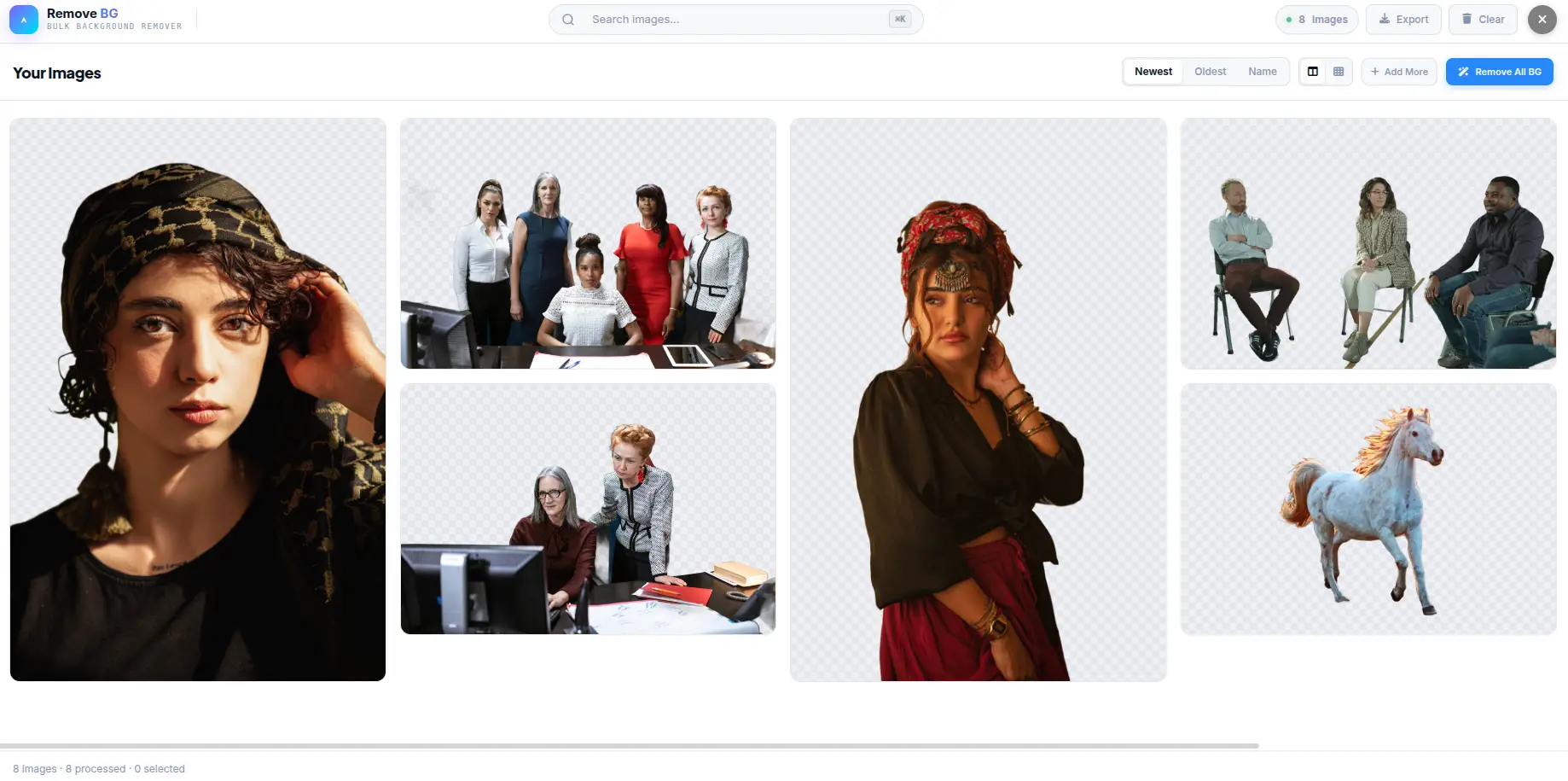
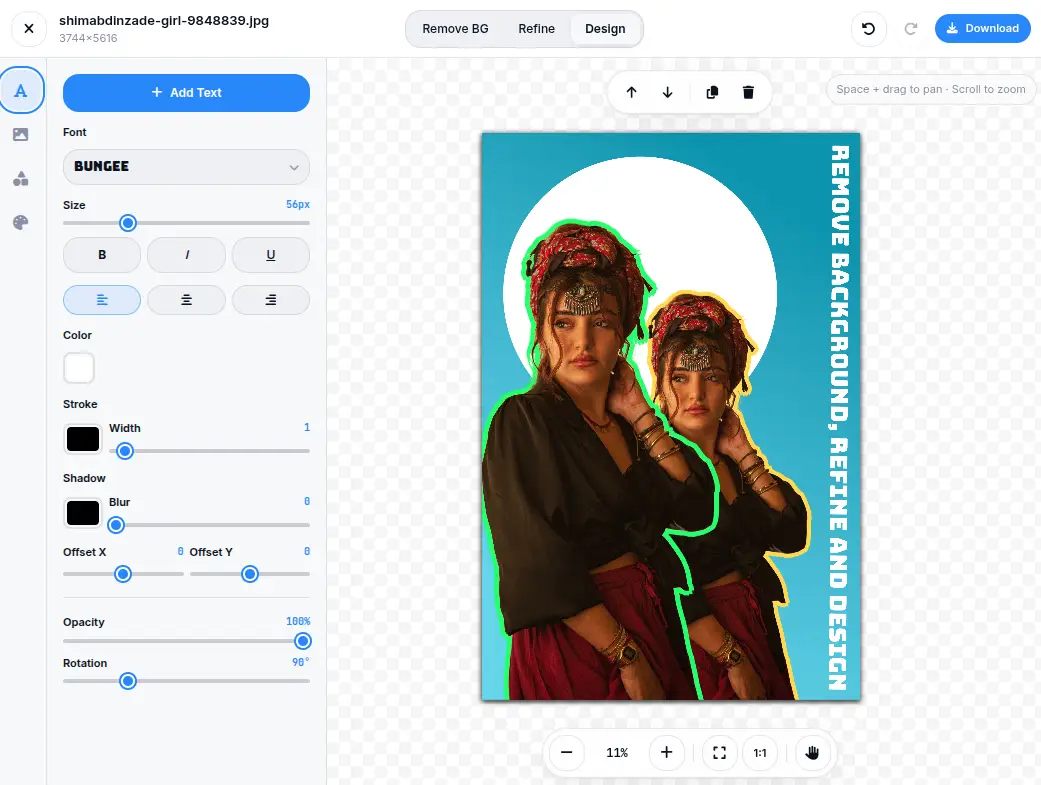
The EditPhotosForFree background remover is designed to be the fastest path from input to download, with zero friction. Open the Background Remover tool in any modern browser — Chrome, Firefox, Safari, or Edge all work, since the model runs on WebGPU where available and falls back to WebAssembly where it does not. There is no signup, no login, no credit card, and no watermark. Drag your image onto the dropzone, or click to browse. The image is decoded immediately on the client, resized to a maximum of 2048 pixels on the long edge for inference (the original is preserved for export), and fed into the BiRefNet-Lite model. On a 2024-era laptop with WebGPU enabled, this typically takes 600-900 milliseconds for a 12MP image. On an older machine without WebGPU, expect 2-4 seconds. Once the model has run, you see a transparent PNG preview with the standard checkerboard background. From here you have four options: download the transparent PNG as-is, replace the background with a solid color (useful for product photography on white or black), replace it with a custom image (useful for compositing), or send the result to another EditPhotosForFree tool for further editing — typically the compressor for output optimization or the resizer for platform-specific dimensions. For batch processing, the tool supports dragging in up to fifty images at once. Each is processed in parallel up to the limit of your device's memory, and each can be downloaded individually or as a ZIP archive. There is no upload happening at any point in this workflow, which means it works fine on a metered connection and works fine in an environment without internet access at all — once the page has loaded, the model is cached in your browser and available offline. The one limitation to be aware of is the 50-image batch cap. That is a hard cap imposed by browser memory constraints, not an arbitrary limit. If you need to process a thousand images, you will need to run multiple batches. For genuinely large-scale work — tens of thousands of images, scheduled jobs, integration with a CMS — you should be running Rembg locally on a machine with a GPU, not using a browser tool. Browser tools are for interactive work; CLI tools are for batch work.
Edge cases and when to fall back to manual masking
Even in 2026, there are cases where AI background removal fails. The most common failure mode is low-contrast subjects against similarly-colored backgrounds — a black product on a dark gray background, a person wearing green against foliage, a beige sweater against a beige wall. The model has no semantic reason to prefer one as foreground, and it will often split the difference, producing a mask that bleeds into the background or carves out chunks of the subject. Motion blur is the second common failure. A moving subject has soft, smeared edges that look like hair to the model but are actually just blur. The model will often produce a reasonable-looking mask that, on inspection, includes chunks of the blurred area as foreground. This is rarely catastrophic — usually you can clean it up with a manual eraser — but it does mean the AI output is not publication-ready without review. Reflections are the third failure. A subject standing on a glossy floor will have a reflection, and the model has to decide whether the reflection is part of the subject. Most models include the reflection, which is usually what you want for product photography but usually not what you want for compositing. If you need to remove the reflection, you will have to do it manually after the AI pass. The fourth failure mode is text. If your image contains prominent text — a sign in the background, a label on a product — the model will sometimes try to read the text and treat it as a separate semantic object, producing odd mask boundaries. This is rare but worth checking for. In any of these cases, the right workflow is to use the AI remover for the bulk of the work, then switch to manual masking for cleanup. EditPhotosForFree's editor supports a manual eraser with adjustable hardness and opacity, and the Photopea-style layer mask workflow is also available for users who want a Photoshop-like experience. The point is not to avoid AI — it is to know when AI has done what it can and hand the rest off to a human.
Background removal for e-commerce: batch processing at scale
E-commerce is the single largest consumer of background removal technology. Product photography almost universally requires clean, isolated product shots on white or transparent backgrounds. Amazon, Shopify, eBay, and every major marketplace enforce image guidelines that effectively mandate background removal. The question for sellers is not whether to remove backgrounds but how to do it at the volume and quality their catalog demands. For a seller with 50 products, manual removal in Photoshop is feasible — it takes an afternoon, and the quality is excellent. For a seller with 500 products, manual removal is a week of work. For a seller with 5,000 products, manual removal is impractical at any price. This is where batch processing becomes essential, and where the choice of tool matters enormously. The workflow for batch background removal is straightforward: prepare a folder of product images, run them through a batch processor, review the results, and export. The preparation step matters more than most people realize. Product images shot on a clean, well-lit background with minimal shadows produce dramatically better results than images shot in cluttered environments with mixed lighting. If you are shooting product photography specifically for background removal, invest in a lightbox or a seamless white backdrop. The AI will handle the rest. Quality control is where most batch workflows break down. A 95% success rate sounds excellent until you realize that 5% of a 5,000-product catalog is 250 images that need manual review. The practical approach is to sort batch output into three piles: clearly good (download immediately), clearly bad (redo manually), and borderline (review at 200% zoom). In our testing, the borderline pile is usually 10-15% of total output, which means a 5,000-product batch takes about 2-3 hours of human review time. That is a realistic labor cost, not a marketing claim. For sellers who process more than 1,000 images per month, the economics favor a dedicated workflow over per-image tools. Set up a local Rembg instance on a machine with a GPU, write a simple shell script that processes a folder, and pipe the output through a review step. The per-image cost drops to zero (just electricity), and the throughput is limited only by your GPU speed. A single RTX 3060 processes about 8 images per second, which means a 5,000-image batch completes in about ten minutes.
Legal and ethical considerations for AI background removal
Background removal is a technical operation, but it exists within a legal and ethical framework that matters more than most tutorials acknowledge. The two areas where this matters most are privacy and intellectual property. Privacy is the straightforward case. If you remove the background from a photo of a person, you are creating a new image that isolates that person. Depending on your jurisdiction, this may intersect with right-of-publicity laws, GDPR, or similar regulations. In the European Union, a photograph of an identifiable person is personal data under GDPR, and processing it (which includes background removal) requires a lawful basis. If you are removing backgrounds from customer photos for commercial use, you need consent — not just for the original photo, but for the processed version. For product photography, the privacy implications are minimal — products are not people. But for portrait photography, headshots, and any image containing identifiable individuals, the consent chain matters. Most professional photographers handle this with model releases that explicitly cover digital processing, including background removal and compositing. If you are using a free tool to remove backgrounds from client photos, make sure your service agreement covers the processing. Intellectual property is the more nuanced case. Background removal does not change the copyright status of the underlying image. If you remove the background from a photo you took, you own the result. If you remove the background from someone else's photo, you have created a derivative work — which requires permission from the copyright holder. This seems obvious, but it becomes murky in practice. Stock photo licenses typically permit cropping, color adjustment, and other modifications. Whether background removal constitutes a modification under a specific license depends on the license language. Most stock licenses permit it; some do not. Read the license. The ethical dimension is newer. AI background removal can be used to isolate people from photos without their knowledge — removing a stranger from a vacation photo, isolating a person from a crowd shot, or creating a cutout for memes. None of these uses are illegal in most jurisdictions, but all of them raise questions about consent and context. The technical capability to remove any background from any image does not mean you should. Use judgment.
The future of background removal: what is coming next
Background removal in 2026 is already good enough for 95% of use cases. The remaining improvements will come from three directions: better edge quality on the hardest cases, tighter integration with editing workflows, and real-time processing in video. Edge quality improvements are driven by model architecture advances. The current generation of segmentation models (BiRefNet, IS-Net, U2-Net) uses encoder-decoder architectures with attention mechanisms. The next generation will likely incorporate diffusion-based segmentation, which has shown promising results on academic benchmarks. Diffusion models excel at generating coherent detail in ambiguous regions — exactly the problem that current models struggle with on hair, fur, and translucent edges. The trade-off is inference speed: diffusion models are slower than encoder-decoder models. But for a tool that runs once per image rather than in a real-time loop, a 2-second inference time is perfectly acceptable. Workflow integration is where the most practical improvement will happen. Today, background removal is typically a standalone step: remove background, then open the result in an editor for further work. The next generation of tools will combine background removal with compositing, color matching, and lighting adjustment in a single workflow. Imagine removing the background from a product photo and immediately seeing it placed on a white background with matching shadows, or removing a person from one photo and compositing them into another with automatic color grading to match the new scene. This is not science fiction — the individual capabilities exist today; the integration is what is missing. Real-time video background removal is the frontier. Current video background removal (used by Zoom, Teams, and streaming software) runs a segmentation model on every frame independently, producing flickering edges and inconsistent masks. The next generation will use temporal coherence — tracking objects across frames to produce smooth, stable masks. Apple's portrait mode in video already does this on-device. Browser-based real-time video background removal is not yet practical at high resolution, but the gap is closing fast. Within two years, expect to see browser tools that can process 1080p video at 30fps with stable, high-quality masks.
Conclusion
For most users in 2026, the right answer is a browser-based AI background remover. EditPhotosForFree's tool is free, instant, private, and produces quality that matches or exceeds paid alternatives on every test we ran. Use it for everything except the cases above. For high-volume batch processing, set up Rembg locally on a machine with a GPU. For pixel-perfect manual masking on complex images, Photoshop or Photopea with a graphics tablet is still the right tool. The 2008 workflow is not gone — it has just been pushed to the 5% of cases where AI still struggles. The other 95% is a one-click operation, and that is a genuinely enormous improvement in how we work with images.