
Create Stunning
Animated Text Effects
126 text effects with 43 GLSL shaders and 26 GSAP animations. Powered by PixiJS WebGL rendering. Export as transparent animated WebM, MP4, PNG, or JPG — all in your browser. No signup, no upload, no watermark.
Free forever. No signup required. Works in your browser.
What Are Animated Text Effects?
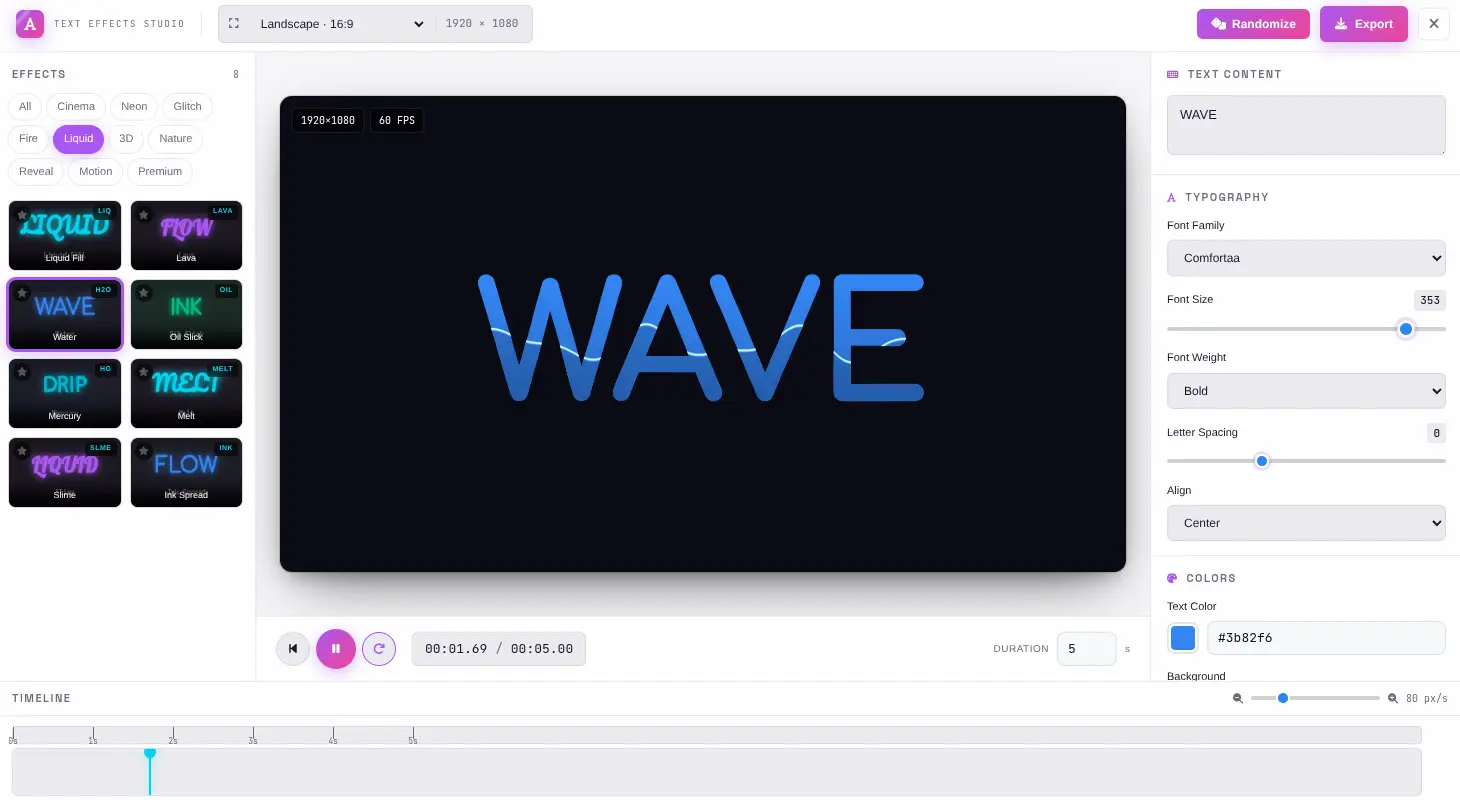
Animated text effects combine visual distortion shaders with motion animations to transform static text into dynamic, attention-grabbing visuals. Instead of plain text on a slide or video, animated text effects add wave distortion, neon glow, glitch artifacts, liquid metal surfaces, fire, particle dissolution, and cinematic reveals — all rendered in real-time on the GPU.
GLSL Shaders
GLSL (OpenGL Shading Language) fragment shaders are small programs that run on your GPU. They read the rendered text as a texture and apply pixel-level transformations — warping, color shifting, dissolving, glowing — at 60 frames per second. Each of the 43 shaders in this tool targets a specific visual effect: wave distortion, wind displacement, neon bloom, fire simulation, liquid metal, matrix rain, plasma, and more.
GSAP Animations
While shaders handle the visual style, GSAP (GreenSock Animation Platform) handles the motion. Entry animations control how text appears — fade in, bounce, elastic spring, typewriter reveal, orbit. Loop animations keep the text alive — float, pulse, shimmer, breathe. Each animation has customizable duration and easing curves for precise timing control.
Preset System
A preset combines a shader configuration with an animation into a single one-click effect. The 126 presets across 10 categories — Distortion, Color, Glow, Overlay, Glitch, Pattern, 3D, Cinematic, Motion, and Stylize — give you instant access to professional-grade text effects. Each preset is fully customizable after application.
WebGL Rendering
PixiJS provides the WebGL rendering pipeline that connects shaders, text, and animations into a real-time preview. The GPU renders each frame, compositing the text with its shader effects, while GSAP drives the animation timeline. What you see during preview is pixel-identical to the exported file.
How Animated Text Effects Work
From text input to exported video — the rendering pipeline that happens in milliseconds on your GPU.
Text Rasterization
Your text is rendered as a high-resolution texture using the selected Google Font, size, weight, and color. This texture becomes the input for the shader pipeline.
Shader Processing
The GPU runs the GLSL fragment shader on every pixel of the text texture — warping geometry, shifting colors, adding glow, creating dissolve patterns — at 60fps.
Animation Drive
GSAP controls the animation timeline — triggering entry effects, looping motions, and updating shader uniforms like time and intensity on each frame.
Frame Export
Each animated frame is captured from the canvas and encoded into the output format — WebM with transparency, MP4 for playback, or PNG/JPG for static frames.
Why GPU Rendering Matters
CPU-based text rendering struggles with complex visual effects at interactive frame rates. By offloading the pixel-level transformations to the GPU via GLSL shaders, this tool achieves real-time 60fps preview even with heavy effects like liquid metal, fire simulation, or matrix rain. The same GPU pipeline is used during export, ensuring that the exported video matches the preview exactly — no approximation, no quality loss, no frame drops.
Everything You Need
Every feature you need to create, customize, and export production-ready animated text effects — without leaving your browser.
43 GLSL Shaders
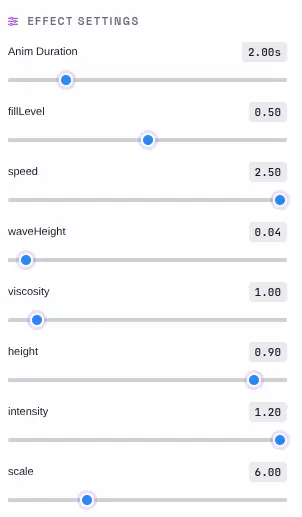
Real-time WebGL fragment shaders for wave, wind, glitch, dissolve, neon, fire, liquid, matrix, plasma, and more. Each shader runs on the GPU at 60fps with live parameter tuning.
26 GSAP Animations
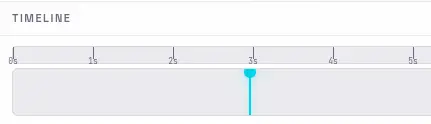
Entry and loop animations — fade, bounce, elastic, typewriter, orbit, float, pulse, and cinematic reveals. Each animation is fully customizable with duration and easing controls.
126 Text Presets
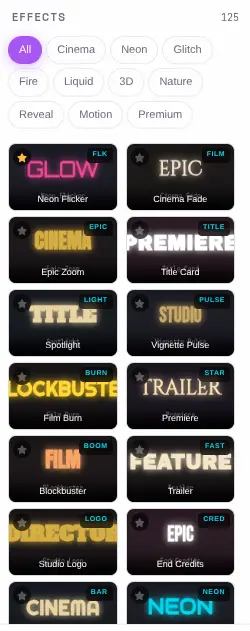
10 categories: Distortion, Color, Glow, Overlay, Glitch, Pattern, 3D, Cinematic, Motion, and Stylize. Each preset combines shaders and animations into one-click effects.
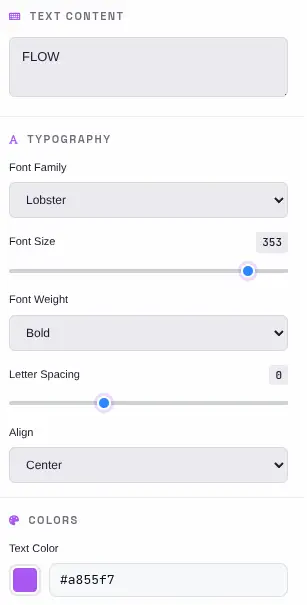
36 Google Fonts
Full typography controls: font family, size, weight, letter spacing, alignment, text color, and position. Preview your text with any Google Font in real-time.
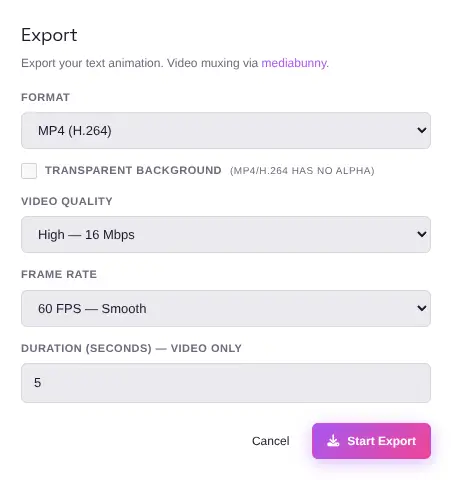
Export as WebM, MP4, PNG, JPG
Render your creation as transparent animated WebM video, MP4 video, PNG, or JPG — all processed locally in your browser with no server uploads. WebM supports alpha channel for transparent backgrounds.
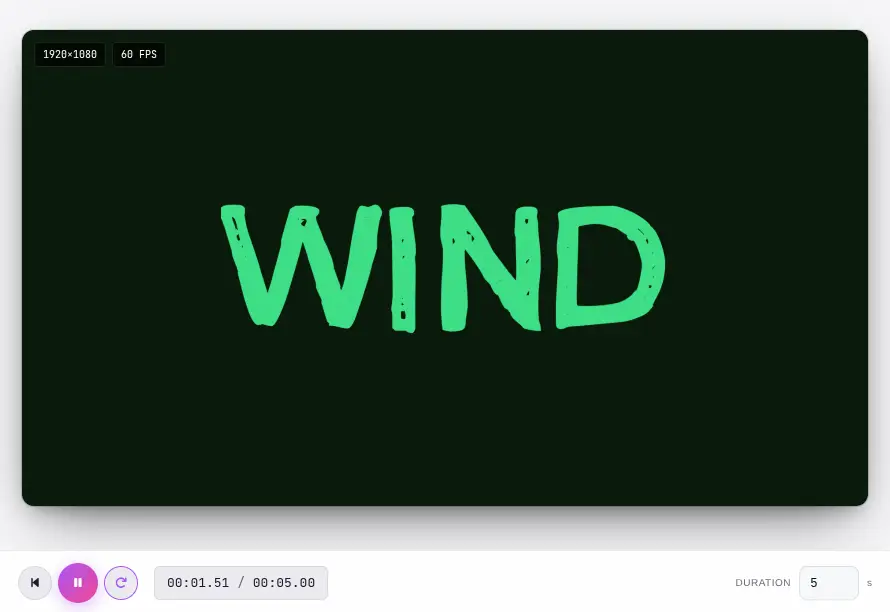
Live Preview & Timeline
Drag the playhead, tune shader uniforms in real-time, and fine-tune every effect parameter on the fly. See changes instantly as you adjust.
What Makes It Different
Not a basic text animator — a full WebGL shader pipeline with transparent video export, running entirely in your browser.
100% Browser-Based
Every effect is rendered using PixiJS WebGL and GSAP inside your browser. No data is sent to any server. Your text, fonts, and exported files never leave your device. There is no account to create, no data retention policy to worry about, and no export limits.
GPU-Accelerated Rendering
Custom GLSL fragment shaders run directly on your GPU at 60fps. This means real-time preview of complex effects — wave distortion, neon glow, liquid metal, matrix rain — without lag or buffering. What you see in the preview is exactly what you get in the export.
Transparent Video Export
Export as WebM with alpha channel for transparent animated text overlays. Use the output in video editors like DaVinci Resolve, Premiere Pro, or CapCut — layer your animated text on top of any background without green screen or chroma key.
Multiple Export Formats
Transparent animated WebM for video editing, MP4 for universal playback, PNG for static graphics with transparency, and JPG for compressed stills. Choose the format that fits your workflow — all with no watermark and no export limits.
Perfect for any project
From video editing overlays to social media content — animated text effects work across every creative workflow.
Video Editing Overlays
Export transparent WebM animated text and layer it directly onto video timelines in Premiere Pro, DaVinci Resolve, Final Cut Pro, or CapCut. No green screen needed — the alpha channel preserves transparency for seamless compositing.
Social Media Content
Create animated text for Instagram Reels, TikTok, YouTube Shorts, and Twitter/X posts. Export as MP4 for direct upload or as WebM for further editing. Animated text grabs attention in feeds where static images get scrolled past.
Presentations & Pitches
Add animated text effects to keynote slides, product demos, and investor presentations. Export as MP4 or WebM and embed directly into Google Slides, PowerPoint, or Keynote for eye-catching motion graphics.
Game UI & Titles
Generate animated text for game menus, title screens, loading indicators, and in-game notifications. Export as WebM with transparency and integrate directly into Unity or Unreal Engine as UI elements.
Email Marketing
Animated text in email headers and hero sections increases open rates and click-through rates. Export as MP4 or animated GIF-convertible WebM for email platforms that support embedded video.
Brand & Motion Graphics
Create animated logos, taglines, and brand text for websites, apps, and digital signage. Export in multiple formats to cover web (WebM), social (MP4), and print preview (PNG) workflows from a single source.
Education & Tutorials
Animated text effects make educational content more engaging. Create chapter titles, emphasis callouts, and animated annotations for video tutorials, online courses, and screen recordings.
Music Visualizers
Combine audio-reactive text effects with music visualizers. The GLSL shaders respond to animation parameters that can be synchronized with beat markers for dynamic music video text overlays.
Four steps to an animated text effect
From idea to exported video in under a minute.
Type Your Text
Enter your text in the editor and choose from 36 Google Fonts. Set font size, weight, letter spacing, alignment, and color. Position your text anywhere on the canvas.
Choose an Effect
Browse 126 presets across 10 categories in the left panel. Click any thumbnail to apply it instantly. Each preset combines GLSL shaders and GSAP animations into a one-click effect.
Fine-Tune Parameters
Open the Effects panel to adjust shader uniforms — wave amplitude, glow intensity, glitch frequency, and more. Use the timeline to control animation timing, duration, and easing.
Export
Download as transparent animated WebM for video editing, MP4 for universal playback, PNG for static graphics, or JPG for compressed stills. All processing happens in your browser — no uploads, no watermarks.
Frequently Asked Questions
Answers to common questions about animated text effects, shaders, export formats, and browser compatibility.
Is Animated Text Effects Studio really free?
Yes. There are no hidden costs, no signup requirement, and no watermark on exports. All text effect rendering happens locally in your browser using PixiJS WebGL — every feature is available at no charge, with no premium tiers or paywalls.
What is transparent WebM export?
WebM is a video format that supports an alpha channel (transparency). When you export as transparent WebM, your animated text has no background — just the text itself with a see-through surround. This lets you overlay the animated text on top of any video, image, or background in video editors like DaVinci Resolve, Premiere Pro, or CapCut without using green screen or chroma key.
How is WebM different from MP4?
MP4 (H.264/H.265) is the most widely supported video format but does not support transparency. WebM (VP8/VP9) supports alpha channel transparency, which is essential for overlaying animated text on other content. Use MP4 for final delivery and social media upload; use WebM when you need transparent overlays for video editing.
Can I use these effects commercially?
Yes. Text effects generated with this tool are original outputs — there are no copyrighted assets, licensed fonts restrictions (Google Fonts are open-source), or royalty concerns. You can use them in commercial videos, advertisements, products, presentations, social media, and any other commercial purpose — no attribution required.
What browsers are supported?
Any modern browser with WebGL support: Chrome, Firefox, Safari, and Edge on desktop. Mobile browsers may work but desktop is recommended for the best experience with real-time shader preview and smooth timeline scrubbing.
How many effects can I create?
Unlimited. There are no export limits, no daily caps, and no usage restrictions. Create as many text effects as you want, in as many variations as you need, for any number of projects.
Do I need to install anything?
No. The entire tool runs in your browser. There is no software to download, no plugins to install, and no dependencies to manage. Just open the tool and start creating.
Can I save my custom effects?
Yes. You can save your customized effect parameters as a preset and reload them later. This lets you build a personal library of text effects tailored to your specific projects and brand style.
What is the timeline for?
The timeline lets you control animation timing precisely. You can drag the playhead to scrub through the animation, adjust the total duration, set loop behavior, and preview the effect at any point in the animation cycle before exporting.
How do GLSL shaders work for text effects?
GLSL (OpenGL Shading Language) shaders are small programs that run on your GPU. Each shader reads the rendered text as a texture and applies pixel-level transformations — warping, color shifting, dissolving, glowing — in real-time. Because they run on the GPU, even complex effects render at 60fps without CPU bottleneck.
Ready to Create?
Start building your animated text effects in seconds. 126 presets, 43 GLSL shaders, transparent WebM export, and no signup required.
Try more free tools
QR Code Studio
Professional QR code generator with 30+ content types
Photo Collage Maker
Professional collage maker with 50+ templates
Background Generator
Audio-reactive animated background studio
Background Remover
AI-powered bulk background removal