
Animated Pattern
Generator Studio
120+ animated generative patterns with 10 color presets, real-time Canvas2D rendering, and export as PNG, SVG, WebM, or MP4 video — all in your browser. No signup, no upload, no watermark.
Free forever. No signup required. Works in your browser.
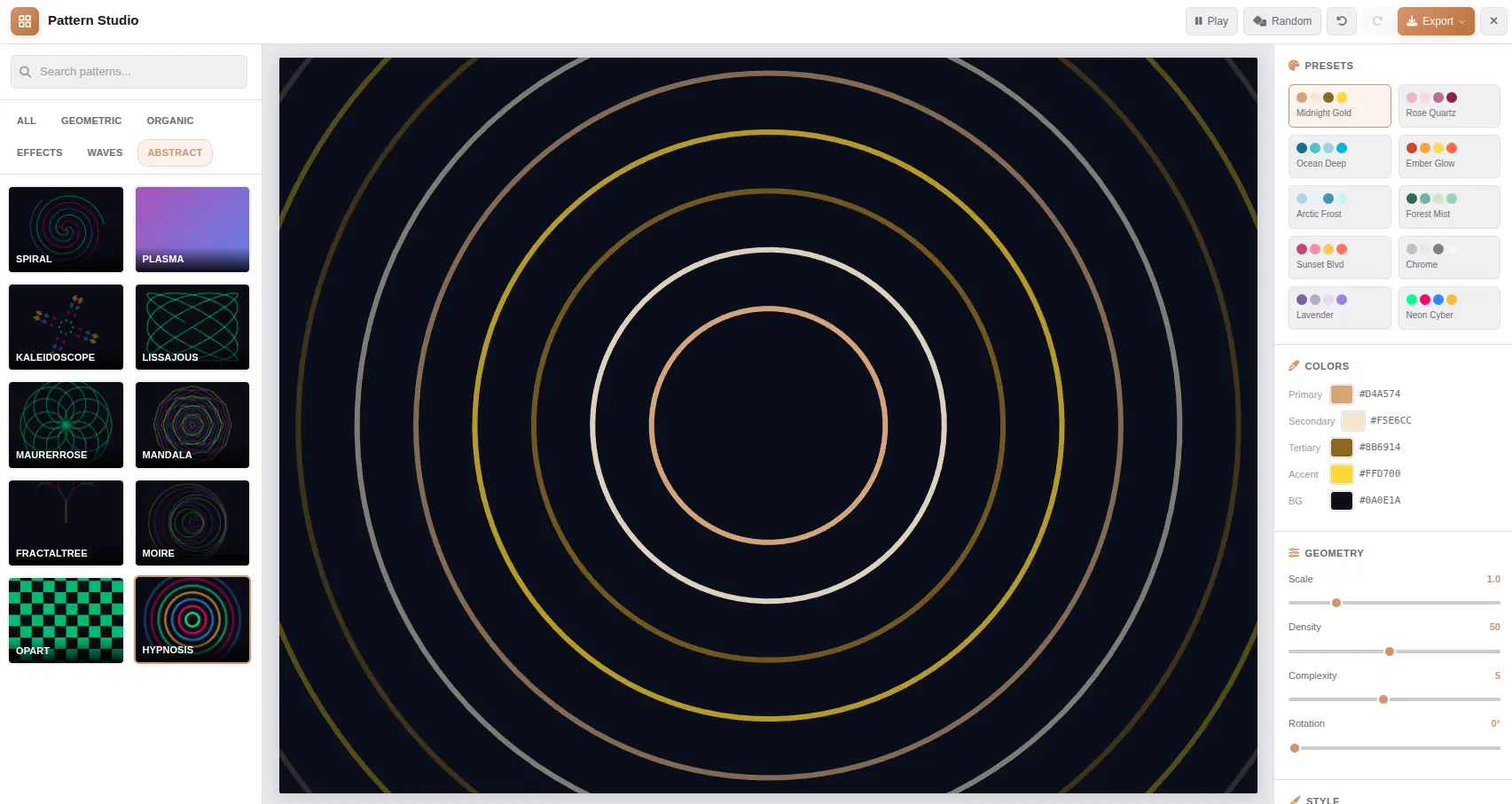
What Is an Animated Pattern Generator?
An animated pattern generator is a tool that creates looping visual compositions using mathematical algorithms and procedural generation. Unlike static patterns, animated patterns use time-dependent parameters to create motion — waves ripple, shapes rotate, particles flow, and noise fields evolve. The generator produces unique variations based on parameter values, making each output one-of-a-kind. Animated patterns are used in digital art, video production, web design, textile printing, and creative coding.
Procedural Generation
Procedural generation uses mathematical functions to create visual output. Waves use sine and cosine functions; noise patterns use Perlin or Simplex noise; geometric patterns use coordinate transforms and symmetry operations. Each algorithm produces infinite variations based on input parameters — scale, density, complexity, and rotation control the visual characteristics.
Animation System
The animation system uses time as a parameter input to the pattern algorithm. Each frame, the time value increments based on the animation speed setting. The pattern recalculates all vertex positions, colors, and effects based on the new time value. This creates smooth, continuous motion at 60fps using requestAnimationFrame for consistent frame timing.
Color & Blend Modes
Each pattern supports 4 color slots — primary, secondary, accent, and background. The 10 curated palettes provide ready-to-use color schemes. 12 blend modes (Multiply, Screen, Overlay, etc.) create complex visual interactions when layering patterns. Color transitions animate smoothly between palette changes.
Export Options
Export still patterns as PNG (raster, full resolution) or SVG (vector, infinite scalability). Export animated patterns as WebM video (VP9, lightweight) or MP4 video (H.264, broad compatibility). All exports happen in-browser using Canvas 2D API — no server upload, no processing queue, no watermarks.
How Animated Patterns Work
From algorithm to animated output — the real-time Canvas2D pipeline that powers generative patterns.
Algorithm Selection
Choose a pattern from 120+ presets. Each preset loads a specific generative algorithm with optimized default parameters for that pattern type.
Parameter Input
Geometry (scale, density, complexity, rotation), style (opacity, stroke, blend mode), colors (4 slots), and animation speed feed into the algorithm.
Canvas Rendering
The Canvas 2D API draws each frame. Path operations, fill styles, and composite operations render the pattern at 60fps. The animation loop increments time each frame.
Export Output
PNG captures a single frame at full resolution. SVG generates vector paths. WebM/MP4 encode the animation sequence with configurable duration and frame rate.
Pattern Categories
The 120+ patterns are organized into 6 categories that cover the most popular generative art styles. Each category uses specific mathematical algorithms and rendering techniques.
Everything You Need for Animated Patterns
Every pattern, animation control, and export option you need — all rendered in your browser with Canvas2D.
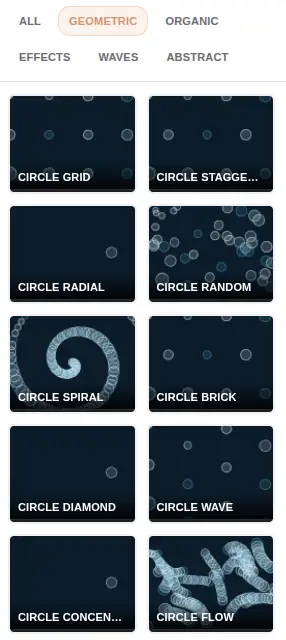
120+ Animated Patterns
Canvas2D generative patterns across 6 categories — Waves, Shapes, Lines, Organic, Effects, and Abstract. Each pattern animates in real time with adjustable speed, direction, and flow. Patterns include moire waves, hexagonal grids, fractal trees, particle systems, noise fields, and more.
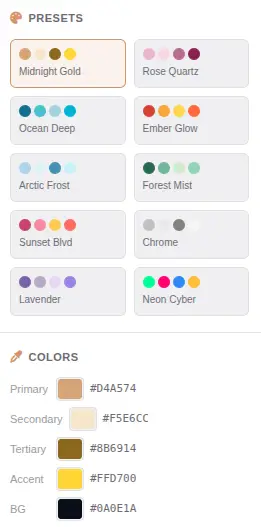
10 Color Presets
Curated palettes from Midnight Gold to Neon Cyber, each with 4 color slots. Create your own palettes with the color pickers — primary, secondary, accent, and background. Color transitions animate smoothly between palette changes. Save and load custom presets.
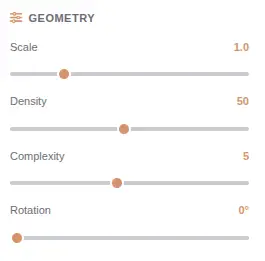
Geometry & Style Controls
Adjust scale, density, complexity, and rotation for geometry. Control opacity, stroke width, blend modes, and background for style. Each parameter updates the pattern preview in real time. Fine-tune every aspect of the generative output.
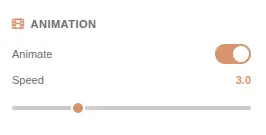
Real-Time Animation
Every pattern animates in real time using Canvas2D rendering. Adjust animation speed from 0.1x to 5x, pause, play, and scrub through time. The animation loop runs at 60fps in the browser. Export animated patterns as WebM or MP4 video.
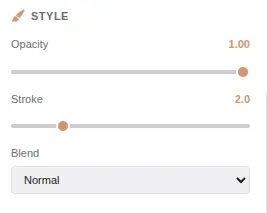
Style & Blend Modes
Control opacity (0-100%), stroke width (0-20px), and 12 blend modes — Normal, Multiply, Screen, Overlay, Soft Light, Hard Light, Color Dodge, Color Burn, Difference, Exclusion, Hue, and Saturation. Blend modes create complex visual interactions between pattern layers.
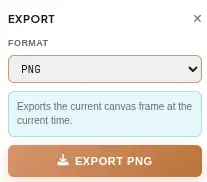
Export as PNG, SVG, WebM, or MP4
Export still patterns as PNG (raster, full resolution) or SVG (vector, infinite scalability). Export animated patterns as WebM video (VP9, lightweight) or MP4 video (H.264, broad compatibility). All exports happen in-browser — no server upload, no processing queue.
What Makes It Different
Not a static pattern library — a real-time animated pattern generator with Canvas2D rendering and multi-format export.
Real-Time Canvas2D Rendering
All patterns render using the Canvas 2D API with optimized rendering loops. Each pattern type uses purpose-built drawing functions — mathematical waves for Wave patterns, geometric primitives for Shape patterns, path algorithms for Line patterns, and noise functions for Organic patterns. The renderer maintains 60fps even with complex patterns.
GPU-Accelerated Animation
The animation system uses requestAnimationFrame for smooth 60fps playback. Each pattern exposes time-dependent parameters that drive the animation — rotation angle, wave offset, particle position, and noise seed. The animation loop runs independently of UI updates for consistent frame timing.
120+ Unique Patterns
Each pattern is a generative algorithm that produces unique visual output based on parameter values. The 6 categories cover the most popular generative art styles — Waves (sine, cosine, interference), Shapes (circles, hexagons, triangles), Lines (grid, radial, spiral), Organic (noise, flow, trees), Effects (glow, grain, vignette), and Abstract (moire, fractal, chaos).
No Account, No Upload, No Trace
No signup, no login, no data collection. The tool works entirely in your browser session. Closing the tab clears all generated patterns. There is no server-side storage, no analytics tracking, and no third-party access to your content.
Perfect for any project
From digital art to video production — animated patterns for any scenario with the right export format.
Digital Art & Illustration
Create unique generative artwork for prints, galleries, and NFT collections. The 120+ patterns produce infinite variations — no two outputs are identical. Export as SVG for scalable vector art or PNG for high-resolution raster prints.
Social Media Content
Generate eye-catching animated backgrounds for Instagram, TikTok, and Twitter/X posts. The 9:16 and 1:1 aspect ratio presets match platform requirements. Animated patterns paired with music create engaging short-form content.
Website & App Backgrounds
Create subtle animated patterns for website headers, app interfaces, and loading screens. Export as MP4 for HTML5 video backgrounds or SVG for CSS-animated backgrounds. The animation speed control ensures patterns enhance rather than distract.
Video Production
Generate animated backgrounds for video intros, lower thirds, and transitions. Export as WebM or MP4 video and import directly into video editors. The 60fps animation ensures smooth playback in professional video production workflows.
Print & Textile Design
Create seamless repeating patterns for fabric, wallpaper, and packaging. Export as SVG for infinite scalability without pixelation. The geometry controls let you fine-tune density and scale for specific print requirements.
Game & App UI Design
Generate animated backgrounds for game menus, loading screens, and app interfaces. The generative patterns produce unique visuals that can be seeded for reproducibility. Export as video loops or capture frames for sprite sheets.
Marketing & Advertising
Create branded animated visuals for banners, social media ads, and email headers. Custom color palettes match brand guidelines. Export at any resolution for print or digital campaigns.
Education & Creative Coding
Teach generative art concepts — Perlin noise, sine waves, geometric transformations, color theory. The parameter controls let you demonstrate how each variable affects the output. The real-time preview makes it ideal for classroom demonstrations.
Four steps to animated perfection
From pattern selection to animated export in under a minute.
Browse Patterns
Browse 120+ animated presets across 6 categories — Waves, Shapes, Lines, Organic, Effects, and Abstract. Click any thumbnail to apply the pattern instantly. Each pattern loads with optimized default parameters and starts animating immediately.
Customize Settings
Adjust colors with 10 presets or custom pickers. Fine-tune geometry (scale, density, complexity, rotation) and style (opacity, stroke, blend modes). Control animation speed from 0.1x to 5x. Every parameter updates the preview in real time.
Preview & Refine
Watch your pattern animate live in the canvas. Use fullscreen mode for immersive preview. Scrub through time to find the perfect frame. Adjust parameters while the animation plays to see changes in real time.
Export & Share
Export still patterns as PNG (raster) or SVG (vector). Export animated patterns as WebM (VP9) or MP4 (H.264) video. All exports happen in-browser with no server upload. Configure resolution, frame rate, and quality before exporting.
Frequently Asked Questions
Answers to common questions about animated patterns, generative algorithms, and export formats.
Is Pattern Generator really free?
Yes. There are no hidden costs, no signup requirement, and no watermark on exports. All 120+ patterns, color presets, geometry controls, animation, and export formats are available at no charge with no premium tiers.
Are my patterns uploaded to a server?
No. Every pattern is generated entirely in your browser using Canvas 2D API. No image data, metadata, or file content is ever sent to any server. Closing the tab clears all local data.
What export formats are available?
Pattern Generator supports four export formats: PNG (raster, lossless), SVG (vector, infinite scalability), WebM video (VP9, lightweight), and MP4 video (H.264, broad compatibility). Video exports capture the full animation with configurable duration and frame rate.
How do animated patterns work?
Each pattern uses time-dependent parameters that update every frame. The animation loop runs at 60fps using requestAnimationFrame. Parameters like rotation angle, wave offset, and particle position change over time, creating smooth motion. Animation speed is adjustable from 0.1x to 5x.
What are the 6 pattern categories?
Waves (sine, cosine, interference, ripple), Shapes (circles, hexagons, triangles, grids), Lines (grid, radial, spiral, contour), Organic (noise, flow, trees, clouds), Effects (glow, grain, vignette, blur), and Abstract (moire, fractal, chaos, tessellation). Each category has 15-25 unique patterns.
Can I use patterns commercially?
Yes. Patterns generated with Pattern Generator are yours to use for any purpose — personal or commercial. No attribution is required. Use them for digital art, print design, video production, marketing, or any other commercial application.
What is the maximum export resolution?
PNG and SVG exports support any resolution within browser memory limits. Video exports support up to 4K (3840x2160) resolution. Custom canvas dimensions can be set for any output size. High-resolution exports may take longer to render depending on pattern complexity.
How many patterns can I combine?
Each pattern is rendered independently on the canvas. You can layer multiple patterns by exporting one, loading it as a background, and applying another pattern on top. The blend modes (Multiply, Screen, Overlay, etc.) create complex visual interactions between layers.
Does this work on mobile?
Pattern Generator works on modern mobile browsers with Canvas 2D support. The responsive design adapts the UI for tablet and phone screens. Desktop browsers provide the best experience with precise parameter controls. Mobile browsers support touch gestures for canvas navigation.
Can I save my custom presets?
Yes. Custom color palettes and parameter settings can be saved as presets. The preset system stores all parameter values — colors, geometry, style, animation speed — for quick recall. Save multiple presets and switch between them instantly.
Ready to Create?
Generate animated patterns in seconds. 120+ presets, 10 color palettes, PNG/SVG/WebM/MP4 export — all in your browser.
Try more free tools
QR Code Studio
Professional QR code generator with 30+ content types
Photo Collage Maker
Professional collage maker with 50+ templates
Background Generator
Audio-reactive animated background studio
Background Remover
AI-powered bulk background removal