
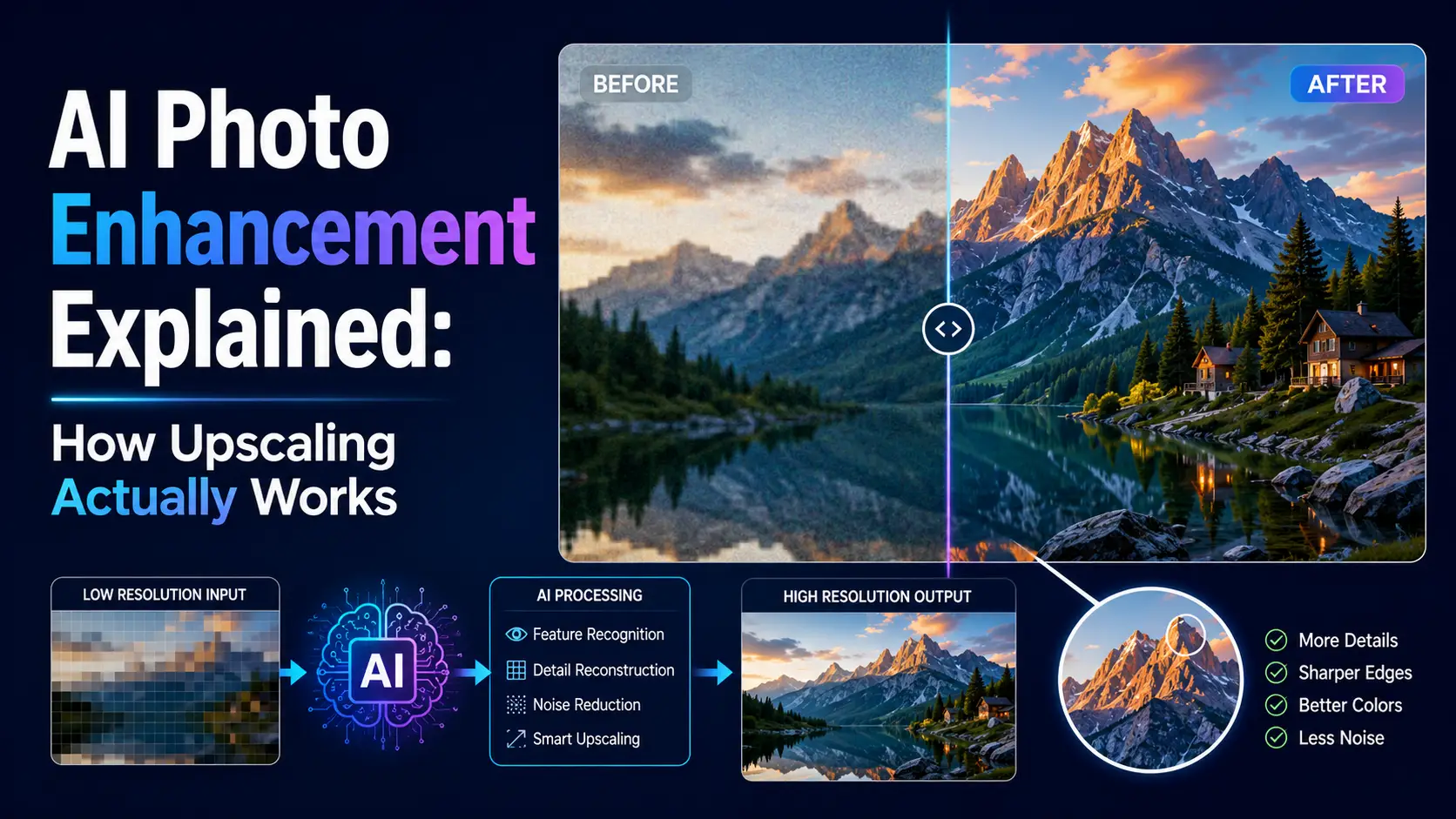
AI photo enhancement is one of those technologies that feels like science fiction the first time you use it. Feed in a blurry 200x200 image, get out a crisp 800x800 image with detail that was not there before. The first time I saw this work, in 2019 with an early ESRGAN model, I assumed there was some kind of trick — that the model was somehow retrieving the original high-resolution image from a database. There is no trick. The model is genuinely hallucinating plausible detail, and the result is often indistinguishable from a genuine high-resolution photo. This guide is a deep dive into how AI photo enhancement actually works — the underlying neural networks, the training data, the failure modes, and the practical implications for photographers and designers in 2026.
The core problem: super-resolution is mathematically impossible
Let us start with the inconvenient truth: mathematically, you cannot recover information that was not captured. A 200x200 image contains 40,000 pixels of information. An 800x800 image contains 640,000 pixels. No algorithm can produce 600,000 new pixels of ground-truth data from 40,000 pixels of input. The information simply is not there. What AI super-resolution actually does is hallucinate plausible detail. Given the 40,000 input pixels and training on millions of similar images, the model guesses what the missing 600,000 pixels probably look like. The guess is informed by statistical priors learned during training — what edges typically look like, how textures repeat, what skin and hair and foliage look like up close. The output is not the original high-resolution image (which we do not have); it is a plausible high-resolution image that is consistent with the low-resolution input. This distinction matters. For artistic and editorial use, "plausible" is good enough — the goal is an image that looks sharp and realistic, and the AI delivers that. For documentary, forensic, or scientific use, "plausible" is dangerous — the AI may show details that were not actually present in the original scene. A license plate that was unreadable in the original might become readable in the AI-upscaled version, but the AI is guessing at what the license plate probably said, not recovering what it actually said. This is a real concern in legal contexts, and several courts have already ruled AI-enhanced imagery inadmissible as evidence. The other implication is that AI upscaling can produce different outputs each time it is run, depending on the random seed and the model parameters. This is unlike traditional interpolation, which is deterministic — bicubic upscale of a 200x200 image always produces the same 800x800 image. AI upscale of the same image can produce subtly different results each time, because the model is sampling from a probability distribution rather than computing a deterministic function. In practice, most production AI upscalers use a deterministic mode (fixed random seed, deterministic inference) to ensure reproducibility. But the underlying point stands: the output is a plausible guess, not a recovery of ground truth.
How the models are actually trained
AI super-resolution models are trained on pairs of high-resolution and downsampled images. The model takes the downsampled version as input and tries to predict the original high-resolution version. Over millions of examples, the model learns the typical patterns of natural images — what edges look like, how textures repeat, what skin and hair and foliage look like up close. The training process is supervised learning with a perceptual loss function. The loss function compares the model's output to the ground-truth high-resolution image and computes a difference. The model's parameters are then adjusted to minimize this difference. The key insight is that the loss function is not just pixel-wise mean squared error (which would produce blurry outputs); it typically includes a perceptual loss component that compares high-level features extracted by a pre-trained image classification network (usually VGG or ResNet). Perceptual loss is what makes AI upscaling look sharp rather than blurry. A pixel-wise loss function would penalize the model for producing sharp edges that are slightly misaligned with the ground truth, leading to blurry outputs that minimize average pixel error. Perceptual loss instead penalizes the model for producing features that do not match the ground truth at a higher level of abstraction, allowing the model to produce sharp edges as long as they are in roughly the right place. The other key training trick is the use of adversarial loss, introduced by the SRGAN paper in 2017. In addition to the perceptual loss, the model is trained against a discriminator network that tries to distinguish AI-upscaled images from real high-resolution images. The generator (the upscaler) learns to fool the discriminator, which pushes it to produce outputs that look photorealistic rather than obviously AI-generated. This is what produces the characteristic "too sharp, too perfect" look of GAN-based upscalers. More recent architectures like Real-ESRGAN and SwinIR have moved away from pure GAN training toward a hybrid approach that combines perceptual loss, adversarial loss, and structural similarity loss. This produces outputs that are sharp but not over-sharpened, with fewer of the artifacts that plagued early GAN upscalers. The training data matters as much as the architecture. Most models are trained on DIV2K, Flickr2K, or similar datasets of high-quality photographs. This means they perform best on natural photographs of people, landscapes, and objects. They perform poorly on synthetic images (3D renders, screenshots), text-heavy images, and images with regular patterns that are not well-represented in the training data.
Where AI upscaling works brilliantly
Super-resolution works best on images with strong statistical priors. Faces are the canonical example — there are only so many ways a face can look, and the model has seen millions of them. Upscaling a low-resolution portrait typically produces a sharp, plausible face with realistic skin texture and hair. The model can hallucinate individual eyelashes, skin pores, and hair strands that were not visible in the original, and these hallucinations are usually plausible enough to pass inspection. Natural textures also upscale well. Grass, leaves, water, sky, and stone all have well-defined statistical properties (self-similarity, scale invariance) that the model can learn and reproduce. A low-resolution photo of a grassy field, upscaled 4x, will typically produce a sharp, realistic-looking field of grass — even if the individual blades of grass in the output do not correspond to actual blades in the original scene. Old photos taken on early-2000s digital cameras upscale beautifully because their blur patterns are well-represented in training data. The model has seen millions of low-resolution photos from similar cameras and has learned the typical blur and noise characteristics, which it can then "remove" by generating the corresponding sharp version. This is why AI upscaling has become a popular tool for restoring old family photos. Product photography of common objects (phones, furniture, clothing) also upscales well, because the model has seen many examples of similar objects. A low-resolution photo of a smartphone, upscaled, will typically produce a sharp image with plausible details on the screen, camera module, and edges. The common thread is that AI upscaling works when the model has strong priors about what the high-resolution version should look like. For subjects that are well-represented in the training data (faces, natural textures, common objects), the priors are strong and the output is plausible. For subjects that are not well-represented (text, logos, diagrams, rare objects), the priors are weak and the output is unreliable.
Where AI upscaling fails
AI upscaling fails on text, logos, and any image with sharp high-frequency content that is not in the training distribution. Upscaling a low-res screenshot of a website typically produces garbled, AI-hallucinated fake text. The model produces something that looks like text — it has the right general shape and contrast — but the individual characters are not real. They are statistical hallucinations based on what text typically looks like, not actual readable text. This is a serious problem for anyone using AI upscaling on screenshots, document scans, or any image where text legibility matters. The upscaled image may look sharper at first glance, but on close inspection the text is illegible. This is especially insidious because the failure mode is not obvious — the text looks plausible at a glance, and only on careful reading do you realize it is nonsense. Logos get distorted in similar ways. The model produces something that looks like a logo, but the specific shapes and proportions are wrong. A well-known logo (like the Apple logo or the Nike swoosh) may be reproduced correctly because the model has seen many examples, but a less common logo will be distorted. Patterns with regular repetition can acquire wave artifacts. Brick walls, tiled floors, woven fabrics, and similar patterns have a specific spatial frequency that the model may not infer correctly. The result is a wavy, distorted version of the pattern that looks like a printing error. Diagrams and technical illustrations often get smudged. Thin lines, in particular, are difficult for AI upscalers — they tend to either disappear or be replaced with thicker, blurrier approximations. If you are working with technical imagery, stick with traditional interpolation. A specific failure mode worth noting is what I call "Confident hallucination" — the model produces a sharp, plausible-looking output that is actually wrong in some detail. A low-res photo of a person might be upscaled to show sharp, realistic-looking eyes — but the eyes are looking in a slightly different direction than in the original. A low-res photo of a car might be upscaled to show a sharp, realistic-looking license plate — but the license plate number is different from the original. These failures are dangerous because they are not obviously wrong; they look correct at first glance, and only on careful comparison with the original do you realize the AI has fabricated details. The lesson is to always compare the upscaled output to the original. Never trust an AI-upscaled image as a faithful representation of the original scene without verifying the details. For artistic and editorial use this matters less; for documentary, forensic, or scientific use it matters enormously.
The architecture wars: GANs, diffusion, and transformers
The architecture of AI upscalers has evolved significantly over the past five years, and the choice of architecture affects the quality, speed, and characteristics of the output. The three main families are GAN-based, transformer-based, and diffusion-based upscalers. GAN-based upscalers (SRGAN, Real-ESRGAN, BSRGAN) use a generator network that takes the low-resolution image and produces a high-resolution output, trained against a discriminator that tries to distinguish real from fake. GAN-based upscalers are fast (a single forward pass through the generator), produce sharp outputs with realistic textures, and have been the dominant approach for production upscalers since 2017. Their main weakness is a tendency to produce artifacts on text and patterns, and a characteristic "too sharp" look that can be obviously AI-generated. Transformer-based upscalers (SwinIR, HAT, EDT) use a vision transformer architecture that processes the image as a sequence of patches, with self-attention allowing the model to consider long-range dependencies. Transformers typically produce cleaner outputs than GANs on text and patterns, with fewer artifacts. Their main weakness is computational cost — transformers are significantly slower than CNN-based GANs, especially for large images. Diffusion-based upscalers (Stable Diffusion upscalers, SDXL refiners) use a denoising diffusion process that iteratively refines a noisy version of the input image. Diffusion models produce the highest-quality outputs currently available, with sharp detail and few artifacts, but they are extremely slow — a single upscale can take 30 seconds to several minutes, depending on the model and the number of diffusion steps. They are also more sensitive to prompt engineering and parameter tuning. In production, GAN-based upscalers remain the dominant choice for browser-based tools because of their speed. Real-ESRGAN, in particular, can run in a browser using WebGPU or WebAssembly in a few seconds for a typical image. Transformer-based upscalers are increasingly popular for desktop applications where the extra quality justifies the slower speed. Diffusion-based upscalers are mostly used for high-end professional work where quality is paramount and time is not a concern. EditPhotosForFree uses a custom variant of Real-ESRGAN, optimized for browser deployment with INT8 quantization and WebGPU acceleration. This produces high-quality output in 2-5 seconds for a typical image, with the option to fall back to a faster (lower-quality) model on devices without WebGPU.
Choosing an upscaler in 2026
For most users in 2026, EditPhotosForFree's built-in AI enhancer is the right choice. It runs entirely in the browser, handles up to 4x upscaling, and is free with no signup required. It uses a custom variant of Real-ESRGAN optimized for browser deployment, with WebGPU acceleration where available and WebAssembly fallback for older devices. For typical use cases — upscaling low-resolution photos for web display, restoring old family photos, improving product images for e-commerce — it produces excellent results in a few seconds. For professional work where maximum quality matters, Topaz Gigapixel AI remains the gold standard. It offers finer control over the upscaling process (separate models for different content types, adjustable sharpening and noise reduction, batch processing) and produces slightly better quality than browser-based alternatives. The cost is $199 for a perpetual license and a local install, which is reasonable for professional use but overkill for casual users. For batch upscaling on a server, Real-ESRGAN is the open-source option of choice. It can be run on any machine with a GPU, processes images in bulk, and integrates cleanly into automated pipelines. The output quality matches or exceeds Topaz Gigapixel on most content, and the open-source license means there are no per-image costs. For high-end artistic work where quality is paramount and time is not a concern, Stable Diffusion-based upscalers (like the SDXL refiner or ControlNet-based upscalers) produce the best results currently available. They are slow (minutes per image) and require some technical expertise to set up and tune, but the output quality is unmatched. Whatever you pick, always inspect the result at 100% zoom before publishing. AI artifacts are easy to miss at thumbnail size — a slightly garbled piece of text, a distorted logo, a wavy pattern in a brick wall — but become obvious on close inspection. For professional work, do a side-by-side comparison with the original to ensure no important details have been changed. AI upscaling is a powerful tool, but it is not a substitute for critical review of the output.
Beyond upscaling: AI restoration, denoising, and the future
Upscaling is the AI image task most consumers know about, but it is far from the only one. The same generative model architectures that power upscaling also power restoration, denoising, deblurring, inpainting, and colorization — each with its own maturity level, failure modes, and best-use cases. Understanding the landscape helps you pick the right tool for a given task rather than treating AI enhancement as a single monolithic capability. AI denoising is the most mature application after upscaling. Modern camera sensors produce clean images at base ISO, but at high ISO (3200 and above), noise becomes a real problem. Traditional noise reduction (luminance noise reduction in Lightroom, the Luminex filter in DxO) blurs detail along with noise. AI denoising (DxO DeepPRIME, Topaz Denoise AI, Lightroom Enhance) uses a neural network trained on noisy / clean image pairs to selectively remove noise while preserving detail. The quality difference is dramatic: DeepPRIME can produce a clean ISO 6400 image that looks like ISO 400, with no visible noise and no detail loss. AI denoising is now the standard for high-ISO photography. AI restoration works on images that have degraded over time — old photographs with scratches, dust, fading, and color shifts. GFP-GAN, CodeFormer, and Topaz Photo AI all tackle this problem. The model is trained on synthetic degradation (taking clean images and artificially aging them), so it learns to reverse the degradation. Results on real old photos are mixed: the AI removes scratches and dust effectively, but the color restoration is often inaccurate (the model has no way to know the original colors). For archival work, manual restoration in Photoshop still produces more reliable results. AI deblurring reverses motion blur and lens blur. Motion blur from camera shake is the easier problem — the blur kernel is consistent across the image, and deconvolution can reverse it. AI deblurring (Topaz Sharpen AI, Photoshop Shake Reduction) works well for mild motion blur but produces artifacts on severe blur. Subject motion blur (a moving person during a long exposure) is harder because the blur kernel varies across the image. Modern AI tools handle this with subject-aware models, but the results are unpredictable. AI inpainting fills in missing or unwanted parts of an image. Photoshop's Content-Aware Fill introduced this to the mainstream in 2010; modern AI inpainting (Photoshop Generative Fill, Stable Diffusion inpaint, DALL-E inpainting) uses generative models to fill the missing region with plausible content. The quality jump from Content-Aware Fill to generative inpainting is enormous — generative models can synthesize complex content (faces, buildings, landscapes) that Content-Aware Fill could only awkwardly clone. The ethical concerns are also larger: generative inpainting can fabricate content that was never there, which is dangerous for documentary and journalistic photography. AI colorization adds color to black-and-white images. The technology has been around since 2016 (Algorithmia, Colorize.com) and has improved steadily. The output is plausible but not historically accurate — the model guesses colors based on learned priors, which means a 1950s wedding photo gets colorized with modern clothing colors that may not match the original. For personal photos where historical accuracy does not matter, AI colorization is fine. For archival or documentary work, it should be disclosed or avoided. The near future of AI photo enhancement is video. Every technique described here has a video equivalent in development: AI video upscaling (Topaz Video AI), AI video denoising (Neat Video), AI frame interpolation (DAIN, RIFE), AI slow-motion generation. The challenge is temporal consistency — applying AI per-frame produces flickering, so the models need to be aware of adjacent frames. Topaz Video AI and similar tools handle this with recurrent architectures, and the quality is improving rapidly. By 2027, real-time AI video enhancement will likely be standard in consumer editing tools.
AI enhancement for old photo restoration: what works and what does not
Restoring old family photos is one of the most emotionally compelling use cases for AI photo enhancement. The technology has gotten dramatically better in the last three years, but it still has specific limitations that are worth understanding before you hand a client a stack of 1970s prints and promise miracles. The operations that work well: upscaling, noise reduction, and colorization. A faded, grainy 35mm scan from 1985 can be upscaled 4x, denoised, and colorized to produce a result that looks like it was taken on a modern digital camera. The AI models have seen millions of old photos in their training data and have learned the typical degradation patterns — film grain, color fading, soft focus from cheap lenses — and can reverse them plausibly. The operations that work partially: scratch removal and tear repair. AI can fill in small scratches and dust spots automatically, producing clean results on minor damage. Large tears (covering more than 5-10% of the image area) produce visible artifacts where the AI hallucinates plausible but incorrect detail. The result looks good at thumbnail size but falls apart at 100% zoom. For significant damage, manual repair in Photoshop or GIMP is still necessary. The operations that do not work well: face enhancement on heavily damaged photos. When a face is partially obscured by tears, water damage, or severe fading, the AI has to guess at facial features. The guess is based on statistical averages — what faces generally look like — not on what that specific person looked like. The result is a face that looks like a plausible person but does not look like the person in the original photo. For family photo restoration, this is emotionally problematic. The client wants their grandmother to look like their grandmother, not like a generic person from the same era. The practical workflow for old photo restoration is: scan at the highest resolution available (at least 600 DPI, preferably 1200 DPI), apply AI denoising and colorization first, then apply manual scratch and tear repair, and finally apply AI upscaling as the last step. Doing the manual work before the upscaling ensures that the AI does not amplify repair artifacts. The total time per image is typically 15-30 minutes for minor damage, 1-2 hours for significant damage. That is a realistic expectation, not a marketing claim.
The hallucination problem: when AI enhancement creates false detail
AI photo enhancement hallucinates detail. This is not a bug — it is the fundamental mechanism. The model takes low-resolution input and generates high-resolution output by guessing what the missing pixels probably look like. For most content (faces, natural scenes, common objects), the guesses are plausible and the result looks great. But the hallucination mechanism has a failure mode that matters more than most tutorials acknowledge: the model can generate detail that was never there, and the generated detail can be wrong in ways that are not immediately obvious. The most dangerous example is text. A low-resolution photo of a sign, menu, or document, when AI-upscaled, produces text that looks like text but is not the right text. The model generates plausible letterforms based on what text generally looks like, but the specific words are invented. If you upscale a photo of a street sign and the result shows a readable street name, that street name is almost certainly wrong. The original pixels did not contain enough information to determine the actual text; the model guessed. The second dangerous example is faces. AI upscaling of low-resolution faces produces sharp, detailed faces with realistic skin texture and hair. But the specific details — the exact shape of the iris, the pattern of wrinkles, the mole on the left cheek — may be hallucinated. For editorial and documentary use, this is a serious problem. The upscaled face looks like the person but may not be an accurate representation of the person at the moment the photo was taken. Several courts have already ruled AI-enhanced imagery inadmissible as evidence precisely because of this hallucination risk. The practical implication is that AI enhancement should be used for aesthetic improvement, not for forensic or documentary purposes. If the goal is to make a photo look better for social media, a website, or a print — AI enhancement is excellent. If the goal is to recover detail for legal evidence, medical documentation, or historical research — AI enhancement is unreliable and potentially misleading. Always compare the AI output to the original at 100% zoom before publishing, and be transparent about which details are original and which are AI-generated.
Combining AI enhancement with manual editing for best results
The best results come from combining AI enhancement with manual editing, not from using either in isolation. AI handles the heavy lifting — denoising, upscaling, initial color correction — while manual editing handles the refinement that AI cannot do well: selective adjustments, local corrections, and final color grading. The workflow I recommend is: first, run the image through an AI enhancer for denoising and upscaling. Second, open the result in a photo editor (Photopea, Lightroom, or similar) for manual adjustments. Third, apply selective sharpening to the areas that matter most (eyes in portraits, product details in e-commerce, architectural details in real estate). Fourth, apply final color grading — curves, selective color, color balance — to achieve the desired look. The reason this order matters is that AI enhancement operates globally — it applies the same processing to every pixel. Manual editing operates locally — you can sharpen the eyes without sharpening the background, brighten the face without blowing out the sky, add warmth to skin tones without affecting the overall white balance. The combination produces results that neither can achieve alone. For batch workflows (wedding photography, event photography, e-commerce catalogs), the practical approach is to run the entire batch through AI enhancement first, then review and manually adjust the images that need it. In practice, about 20-30% of images need manual adjustment after AI enhancement — typically images with mixed lighting, unusual color casts, or compositions that confuse the AI's global processing. The remaining 70-80% look good directly from the AI pass. The time investment is worth calculating. AI enhancement of 500 images takes about 5 minutes on a modern GPU. Manual review and adjustment of the 20% that need it (100 images) takes about 30-60 minutes, depending on the adjustments needed. Total time: about an hour for 500 enhanced images. Without AI, manual enhancement of 500 images would take 20-40 hours. The AI does not replace manual work — it reduces it by 95%. That is the real value proposition, and it is a genuinely transformative improvement in how photographers work.
Conclusion
AI photo enhancement is one of the most successful consumer applications of deep learning. It cannot recover information that was not captured, but it can hallucinate plausible detail — and for faces and natural scenes, the results are often indistinguishable from a genuine high-resolution photo. Use it for portraits, nature photography, and restoration of old images. Be cautious with text, logos, patterns, and any image where factual accuracy matters. Always inspect the output at 100% zoom before publishing, and compare to the original to ensure no important details have been fabricated. The technology is remarkable, but it is not magic — it is statistical inference, and like all statistical inference, it can be wrong in ways that are not immediately obvious.